WISPGate OSS & Inventory

Network Intelligence + Device Lifecycle + Warehouse Control

WISPGate’s OSS & Inventory modules are built to run a real operator: visualize the network, manage sites and devices, automate provisioning (FTTx + ACS), operate hotspot/captive portals, and monitor health via SNMP/NetFlow/Syslog β€” while keeping warehouse stock and deployed assets under tight control (including SIM/DID inventory for MNO/VoIP).
Below is the full module explanation with practical workflows and simple, standard diagrams.

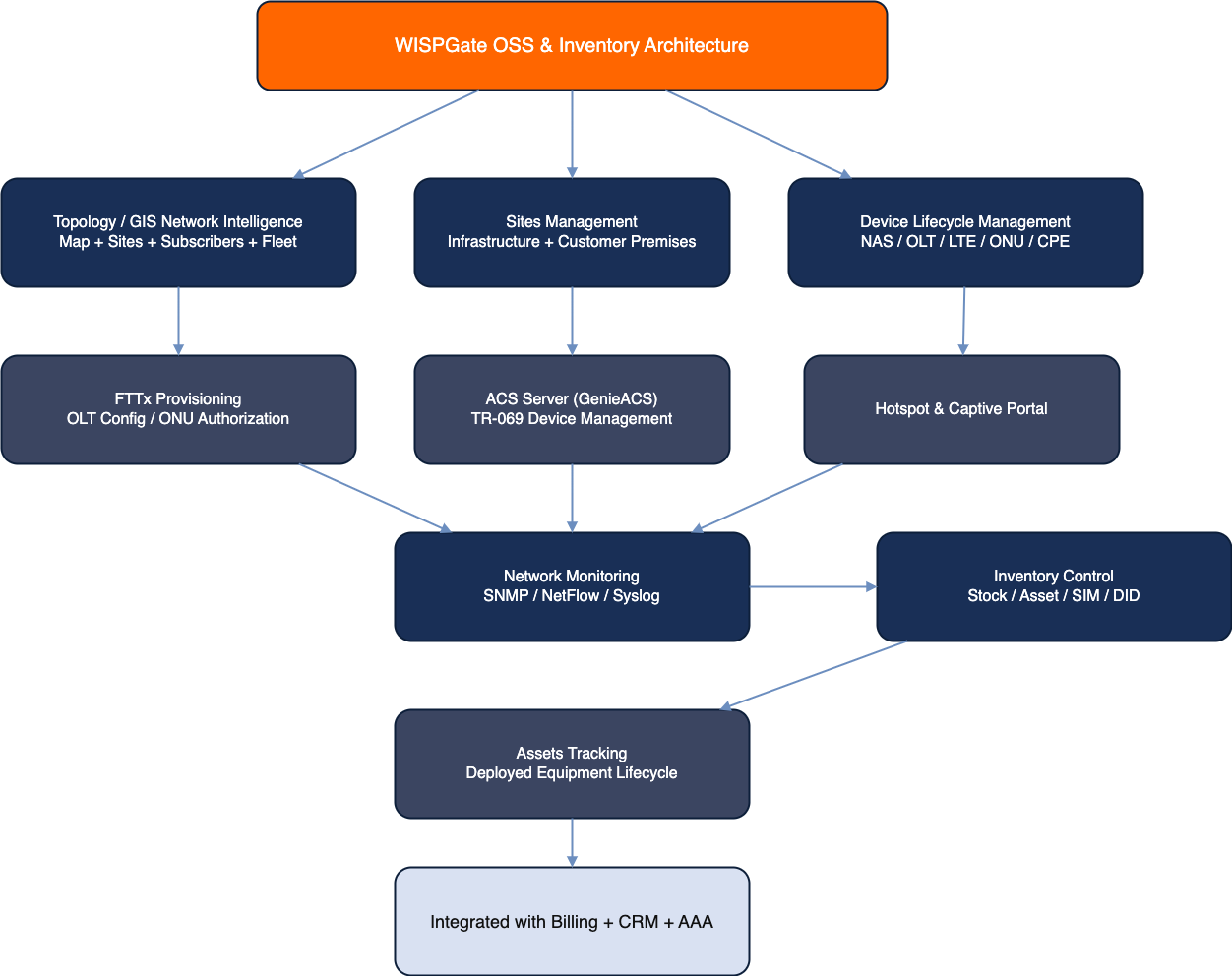
Big Picture Architecture

OSS Inventory Architecture
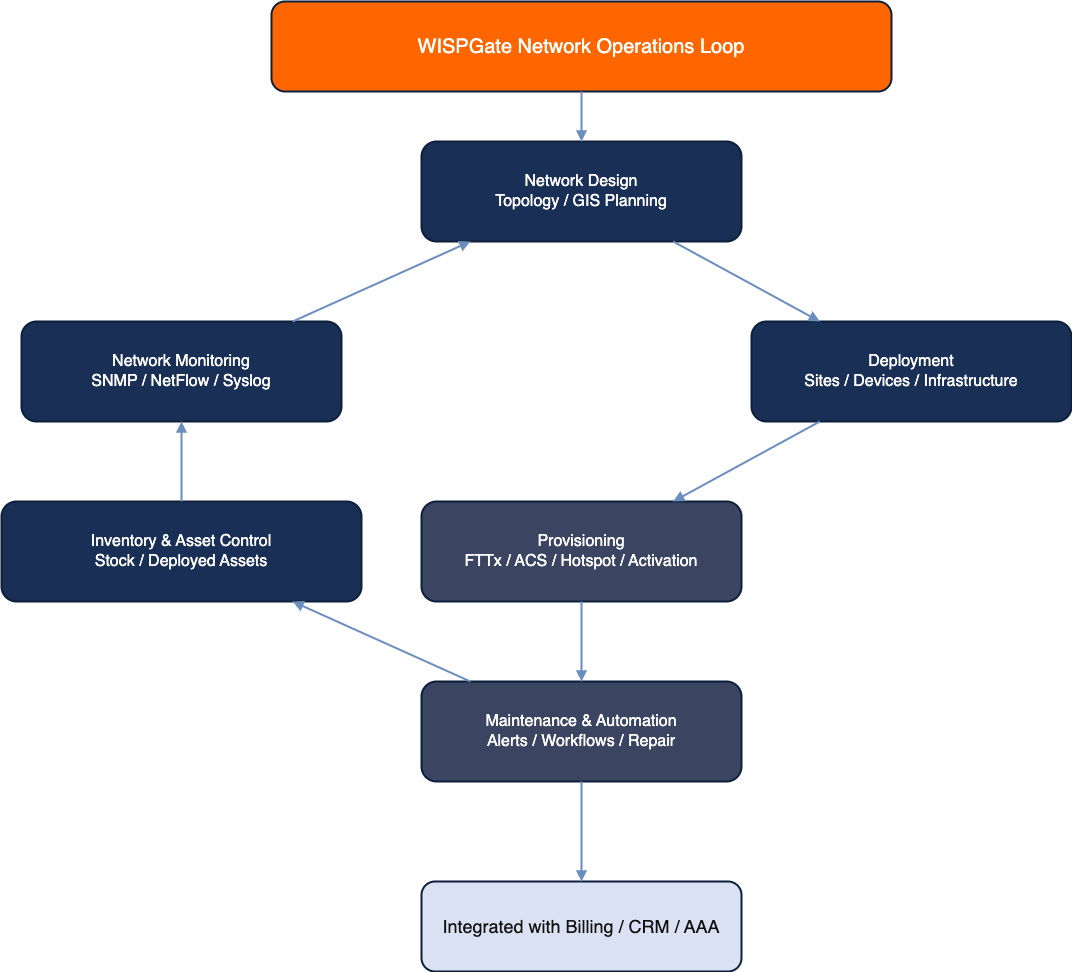
Network Operations Loop

Topology Module (GIS Map)

What it is

A GIS-driven topology map that visually tracks:

  • Network sites (PoPs, towers, OLT cabinets, core rooms, etc.)
  • Subscriber sites (buildings, apartments, enterprises, MDUs)
  • (Soon) Fleet and staff locations

Why it matters

Most operators run blind: spreadsheets + WhatsApp + β€œtribal knowledge.”

GIS topology turns operational chaos into location-aware accountability.

Topology workflow

Create Network Site (PoP/Tower)
↓
Add devices/links
↓
Create Subscriber Site
↓
Link subscriber/sub-service
↓
View on GIS map
↓
Filter by PoP/Region/Status
↓
Drill down to affected subscribers/devices
Topology Screenshot

Sites Module (Network + Subscriber)

What it is

A structured registry for all physical locations:

  • Network Sites: PoPs, towers, shelters, DC rooms, cabinets
  • Subscriber Sites: homes, MDUs, offices, compounds

Key capabilities

  • Region/PoP grouping
  • Coordinates / address / meta fields
  • Linking to devices, subscribers, and sub-services
  • Site-based filtering for ops and reporting

Site creation workflow

New Site
↓
Set type (Network/Subscriber)
↓
Set coordinates
↓
Assign region/PoP
↓
Attach devices (OLT/NAS/CPE/etc.)
↓
Link subscriber/sub-service (if subscriber site)

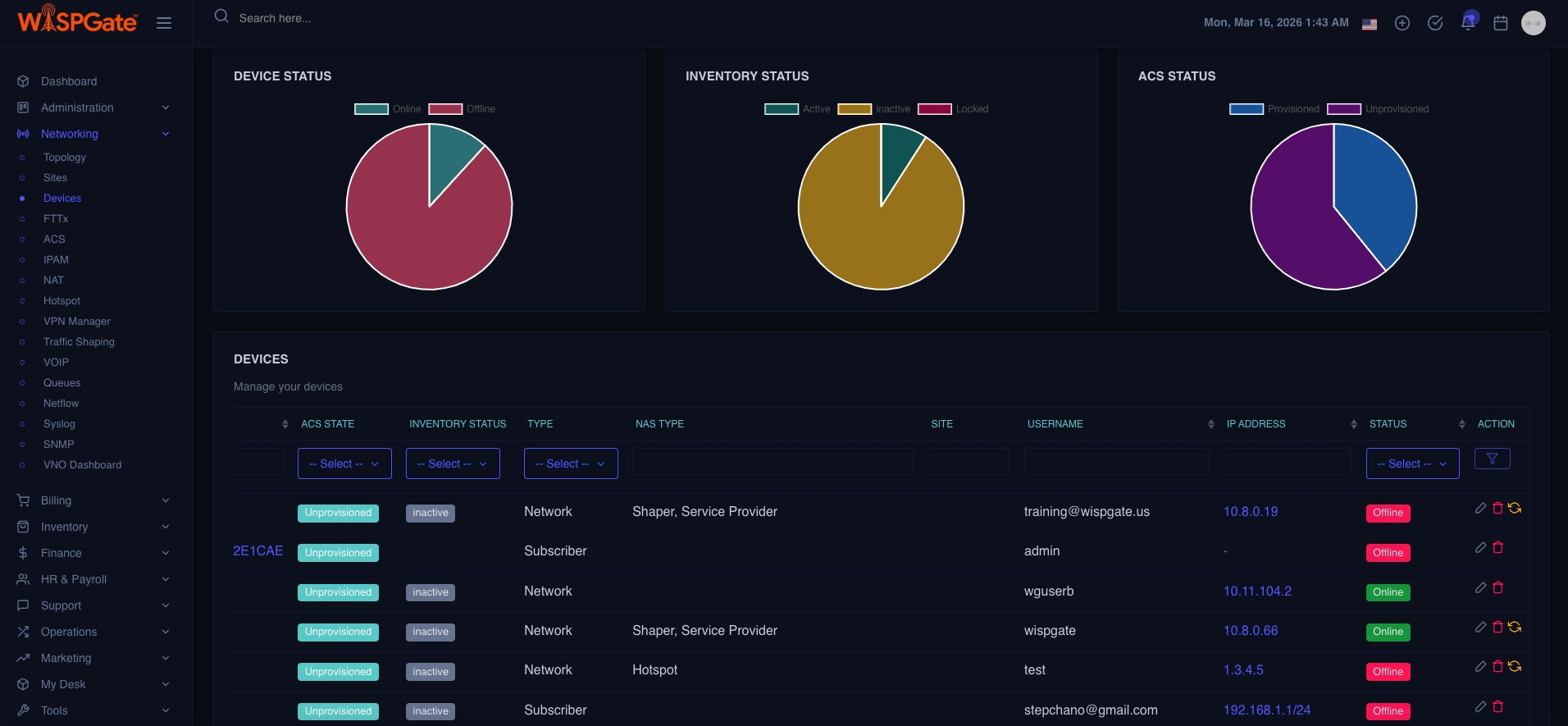
Device Module (Network + Subscriber Devices)

What it is

Comprehensive device management system covering:

  • Network devices: NAS/BRAS, routers, switches, OLTs, LTE nodes, APs
  • Subscriber devices: ONU/ONT, wireless CPE, routers, VoIP ATA, STB

What makes it β€œoperator-grade”

  • Device inventory + operational status
  • Assignment: Stock β†’ Asset β†’ Deployed
  • Site binding (where the device is physically installed)
  • Subscriber/Sub-Service binding (who it serves)
  • Provisioning hooks (FTTx / ACS / Hotspot)
  • Monitoring hooks (SNMP/NetFlow/Syslog)

Device Lifecycle Diagram

[Stock Item] β†’ (assigned) β†’ [Asset] β†’ (installed at Site) β†’ [Deployed Device]
     β”‚                        β”‚                  β”‚                     β”‚
Warehouse record     Ownership record     Location         Service impact context
                        

Device install workflow (MDU-friendly)

Pick device from Stock
↓
Convert to Asset
↓
Bind to Subscriber Site (Building/Apt)
↓
Attach to Sub-Service (Internet/IPTV/VoIP)
↓
Provision (FTTx/ACS)
↓
Monitor (SNMP/Syslog)
Device Page Screenshot

FTTx Module (OLT Management + ONU Provisioning)

What it is

A dedicated fiber access module to:

  • Manage OLT configuration
  • Handle ONU/ONT provisioning and authorization
  • Maintain subscriber-to-port/service mapping

Core operational outcomes

  • Faster activations
  • Less manual CLI work
  • Reduced misprovisioning (wrong VLAN/profile)
  • Clear mapping: OLT β†’ PON β†’ ONU β†’ Subscriber/Sub-Service

FTTx provisioning workflow

Create/Import OLT
β†’
Discover/Define PON ports
β†’
Register ONU (serial/LOID)
β†’
Authorize ONU
β†’
Assign profile (speed/VLAN/service)
β†’
Bind to Sub-Service
β†’
Confirm online state
β†’
Keep monitoring + auditing

Simple FTTx Topology Diagram

                [OLT] ── PON ── [Splitter] ── [ONU/ONT] ── (Subscriber Sub-Service: Internet)
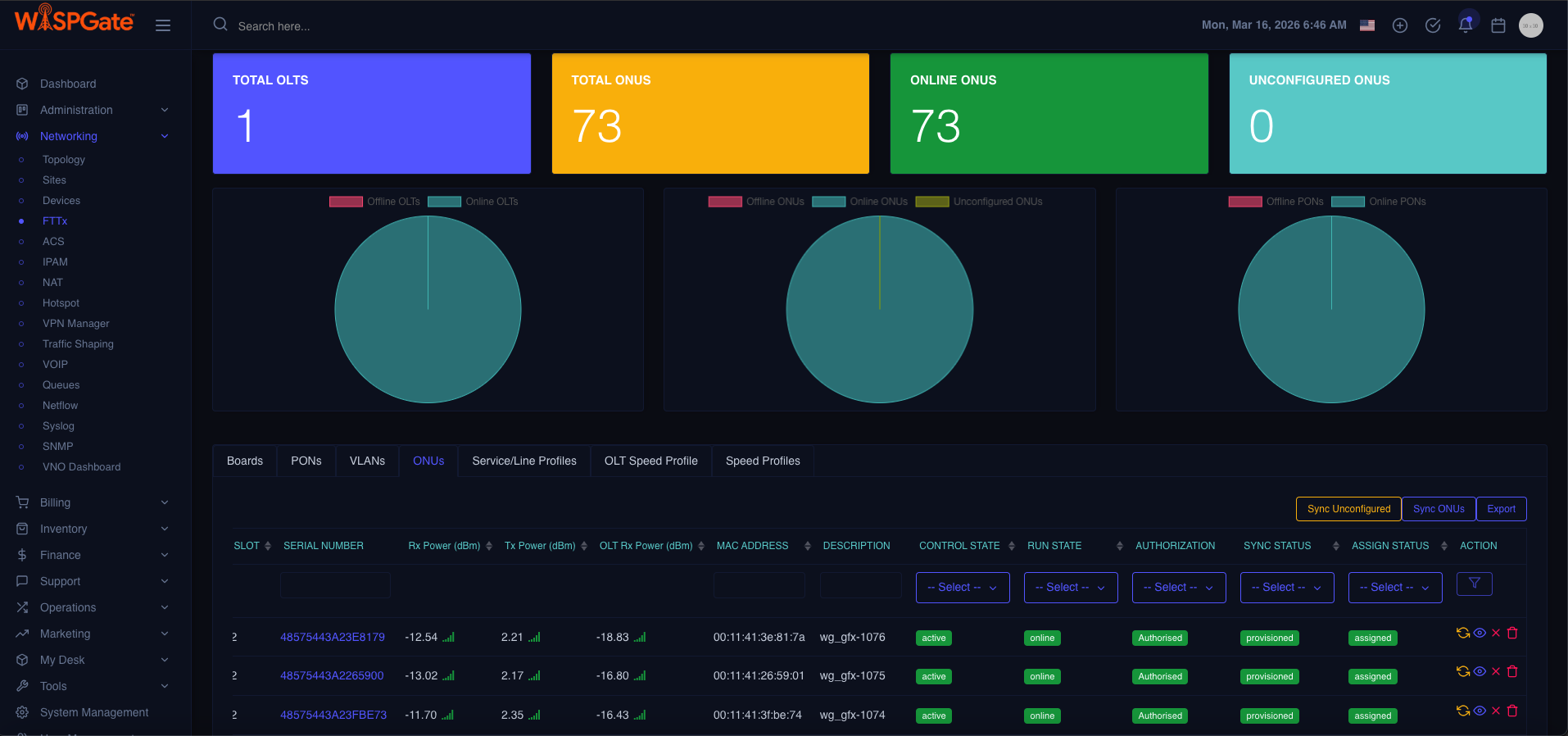
                        
FTTx Module Screenshot

ACS Server (GenieACS backend + modern UI)

What it is

  • TR-069 ACS management using GenieACS as backend with a modern WISPGate UI.

What it enables

  • Remote provisioning
  • Parameter management (WiFi SSID, PPPoE creds, VLAN tags, etc.)
  • Firmware visibility (and typically firmware ops depending on implementation)
  • Device diagnostics without truck rolls

ACS management workflow

CPE connects to ACS
β†’
Device discovered
β†’
Bind device to subscriber/sub-service
β†’
Push configuration templates
β†’
Validate status
β†’
Ongoing parameter monitoring

ACS Architecture Diagram

                [CPE/TR-069] ⇄ Internet ⇄ [GenieACS Backend] ⇄ [WISPGate UI + CRM/Billing context]
                        

Hotspot & Captive Portal Module

What it is

A complete hotspot stack:

  • Captive portal experience
  • Voucher / user access methods (as configured in your product model)
  • Policy enforcement (time/data/speed rules depending on AAA integration)
  • Branding and landing pages

Hotspot user workflow

User connects to SSID
β†’
Redirected to Captive Portal
β†’
Login/Voucher/Plan Selection
β†’
Access Granted
β†’
Session Tracked
β†’
Expiry/Limit Enforcement
β†’
Disconnect/Re-auth

Hotspot Architecture Diagram

    [User Device] β†’ [Hotspot AP/Gateway] β†’ (Redirect) β†’ [Captive Portal]
                                  β†˜ (Auth) β†’ [AAA/RADIUS + Policy]
                        
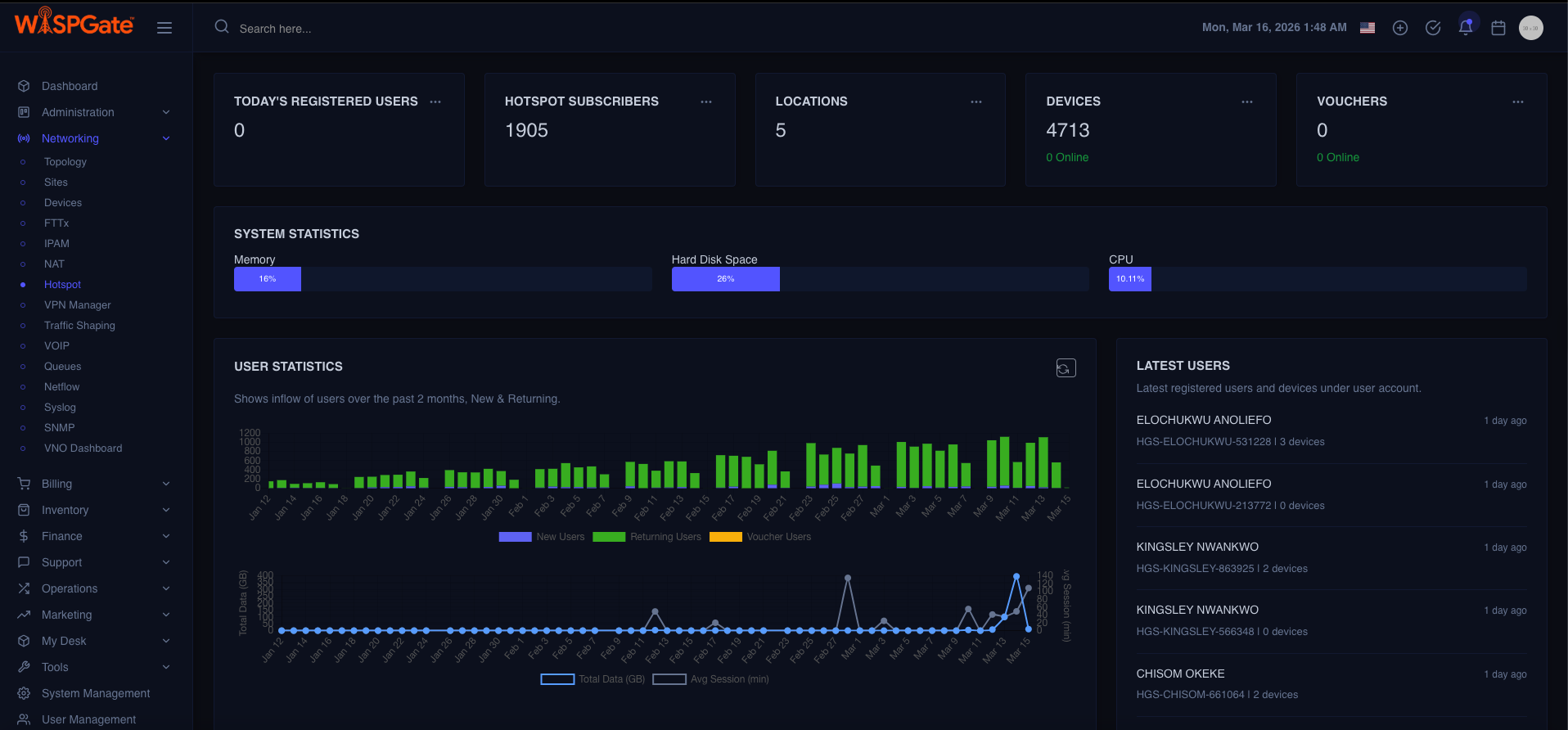
Hotspot Dashboard Screenshot
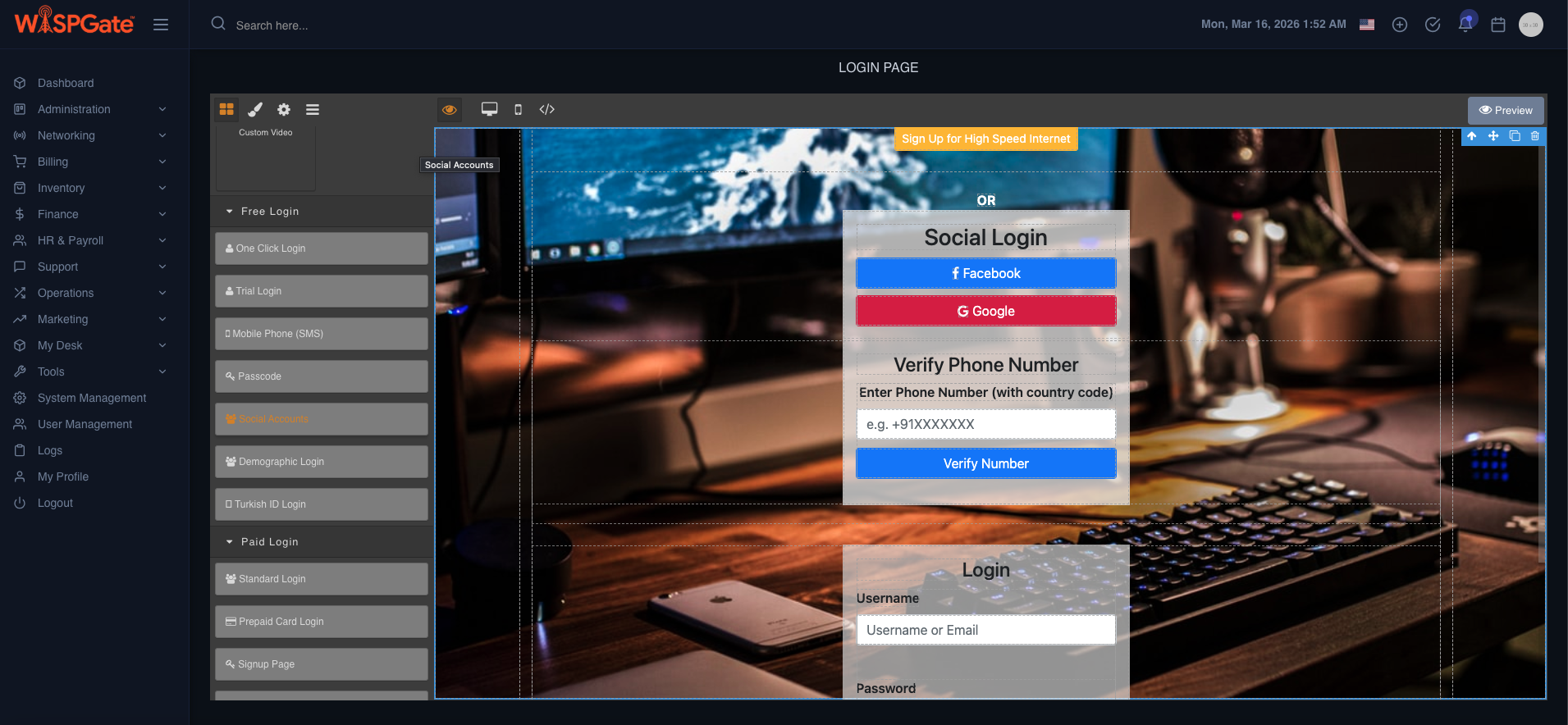
Splash Page Designer Screenshot

Monitoring: SNMP Sensors + NetFlow + Syslog

What it is

Multi-signal monitoring layer:

  • SNMP: device health metrics (CPU, memory, interface status, signal, temps, etc.)
  • NetFlow: traffic visibility and flow analytics (who/what is consuming bandwidth)
  • Syslog: event logs, failures, auth events, interface flaps, security messages

Monitoring workflow (operational)

Collect telemetry (SNMP/Flow/Syslog)
↓
Normalize + map to device/site/subscriber
↓
Detect thresholds/anomalies
↓
Trigger alert/ticket (optional process)
↓
Investigate: drill down by Site/PoP/Device/Subscribers impacted

Monitoring Architecture Diagram

Devices
↓
SNMP / Flow / Syslog
↓
WG Monitoring Layer
↓
Dashboards / Alerts
↓
Ops Actions

Reality check:

Most systems show metrics but don’t tie it back to β€œwhich customers are affected.” Your advantage is linking monitoring objects to subscriber/sub-service context.

Inventory Management: Stock vs Assets

WISPGate inventory is split into two deliberate buckets:

Stock (Warehouse)

Represents:

  • Items available, ordered, reserved
  • Batches, suppliers, costs (as configured)
  • Warehouse locations

Stock workflow

Purchase/Receive
↓
Add to Stock
↓
Reserve for job/project/subscriber
↓
Dispatch
↓
Convert to Asset

Assets (Deployed / In-use)

Represents:

  • Items that are owned/controlled and actively used
  • Assigned to a subscriber/site/device record
  • Tracks lifecycle: deployed, replaced, returned, damaged

Asset workflow

From Stock
↓
Create Asset
↓
Assign to Site/Sub-Service/Subscriber
↓
Track status
↓
Replace/Return
↓
Back to Stock (if reusable) or Mark retired

Stock vs Asset Diagram

    [Stock] (Warehouse)  ──issue/assign──>  [Asset] (Owned/Deployed)
            ^                                       |
            └── return/reuse (if applicable) <β”€β”€β”€β”€β”€β”€β”˜
                    
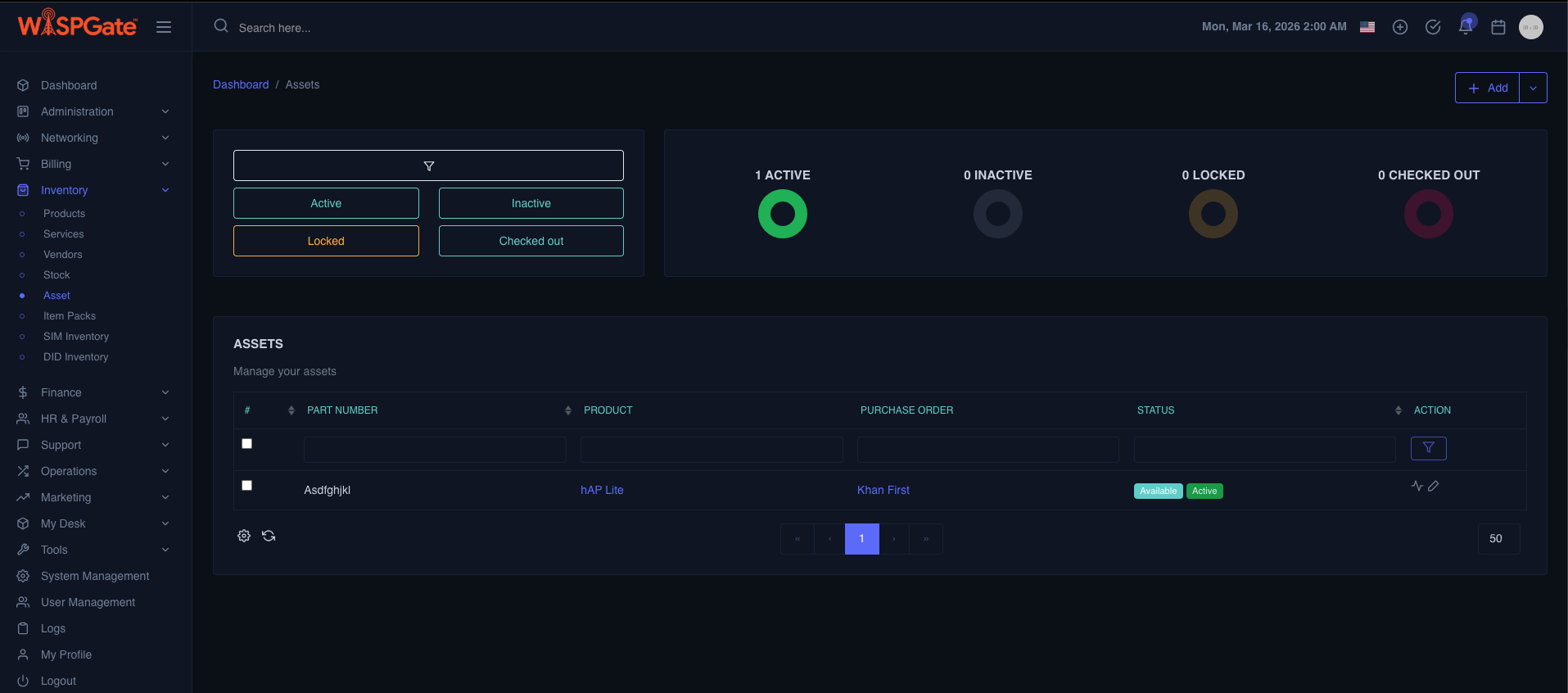
Stock & Asset Screenshot

SIM & DID Inventory (MNO + VoIP providers)

SIM Inventory

Tracks SIM lifecycle:

  • In stock / assigned / activated / suspended / retired
  • Link SIM to: subscriber, service/sub-service (e.g., LTE plan), device (e.g., LTE CPE)

DID Inventory

Tracks DIDs:

  • Available / reserved / assigned / ported / released
  • Link DID to:
    • subscriber
    • VoIP sub-service
    • routing or package logic (depending on implementation)

SIM/DID workflow

Add range/batch
β†’
Mark status
β†’
Reserve
β†’
Assign to subscriber/sub-service
β†’
Activate
β†’
Suspend/Recycle/Release (as policy)

End-to-End Operational Workflows

Workflow A: New subscriber installation (FTTx + CPE)

Create Subscriber Site (MDU building + unit)
↓
Create Sub-Service (Internet)
↓
Reserve ONU from Stock
↓
Create Asset
↓
Install at subscriber site
↓
Provision via FTTx (authorize ONU) + ACS (push CPE config)
↓
Device becomes β€œDeployed”
↓
Start monitoring SNMP/Syslog
↓
Ops-ready

Workflow B: Outage investigation (PoP impact)

Alert from SNMP/Syslog
↓
Open Topology
↓
Filter by PoP
↓
See affected Sites
↓
Drill into devices
↓
Identify failing link/OLT/NAS
↓
View impacted subscriber sub-services
↓
Notify/support workflow (process-defined)

Workflow C: Hardware replacement (asset control)

Ticket/Issue
↓
Locate subscriber sub service
↓
Identify attached CPE asset
↓
Mark old asset β€œfaulty/return”
↓
Allocate replacement from Stock
↓
Swap + reprovision (ACS/FTTx)
↓
Update asset bindings
↓
Close loop