
The Event module, as the name suggests, enables the management of various events within WispGate. These events are associated with contact-projects and represent specific occurrences. Each event can have a defined time frame with start and end dates.
The events can have different statuses, indicating their progress and current state:
- To-Do: If selected, indicates that the event has been created and is planned to worked on. The event is scheduled for execution.
- In-Progress: If selected, it indicates that the event has been created, and progress for this being made.
- On-Hold: If selected, it indicates that the event, which was previously in progress, is now temporarily suspended or postponed for specific reasons.
- Completed: If selected, it indicates that the event has been held, and all related activities have been successfully concluded.
- Canceled: If selected, it indicates that the event, for some reason, has been called off or discontinued. The event will not be executed as originally planned
Creating an event:
- Navigate to the Operation Module
- Select Event
Basic Information:
- Enter Even title
- Enter State Date
- Enter End Date
- Select associated Contact-Project
- Select Contact
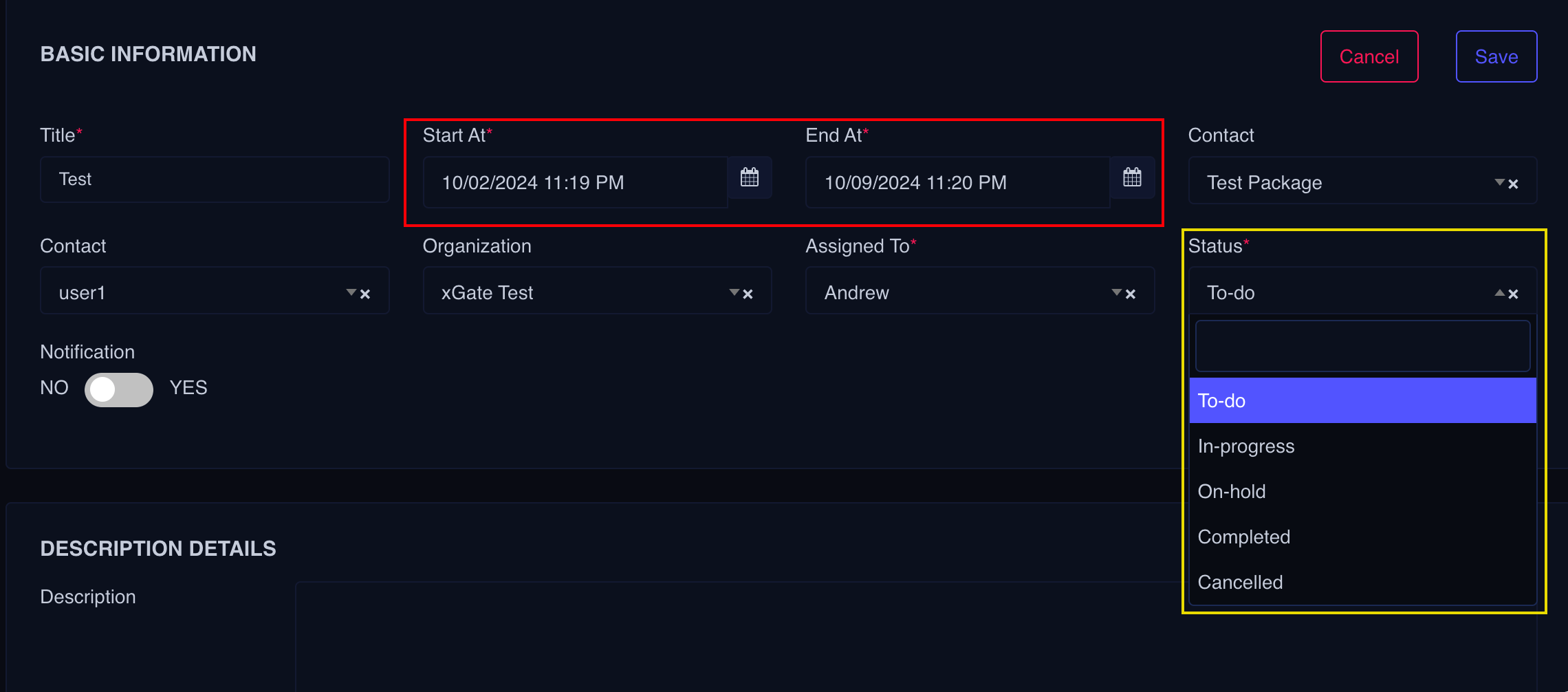
- Select the Organization
- Assign the Event
- Select status as per your requirement
- Set the Notification to Yes for the contact selected to receive alerts about the Event.
- Add description
- Save the Event